
Something local is coming.
Need
something?
Just PingMi.
A spare bike. A leaky tap. A job that needs doing. Post what you need and let people nearby come to you with offers.
Your needs. Your neighbourhood. One app.
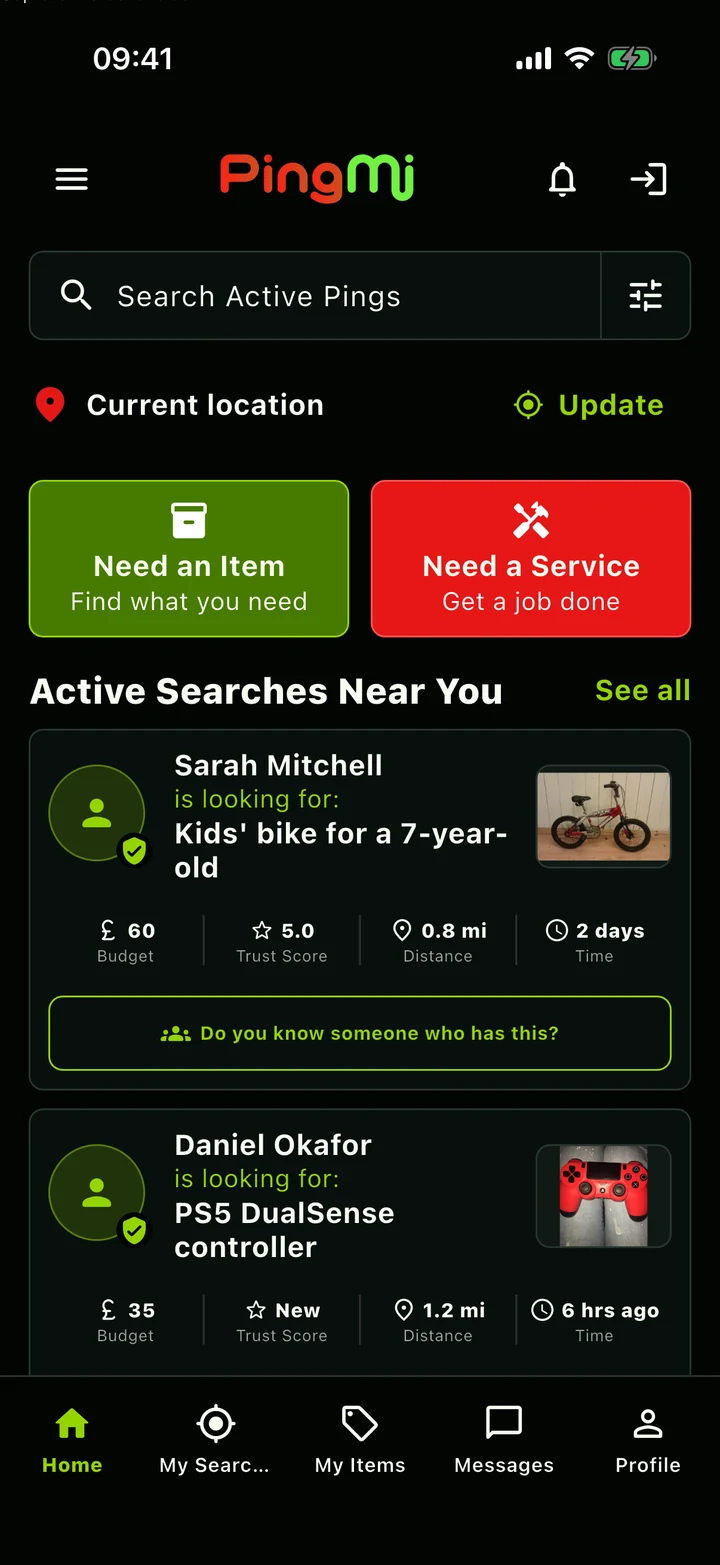
It starts with a need.
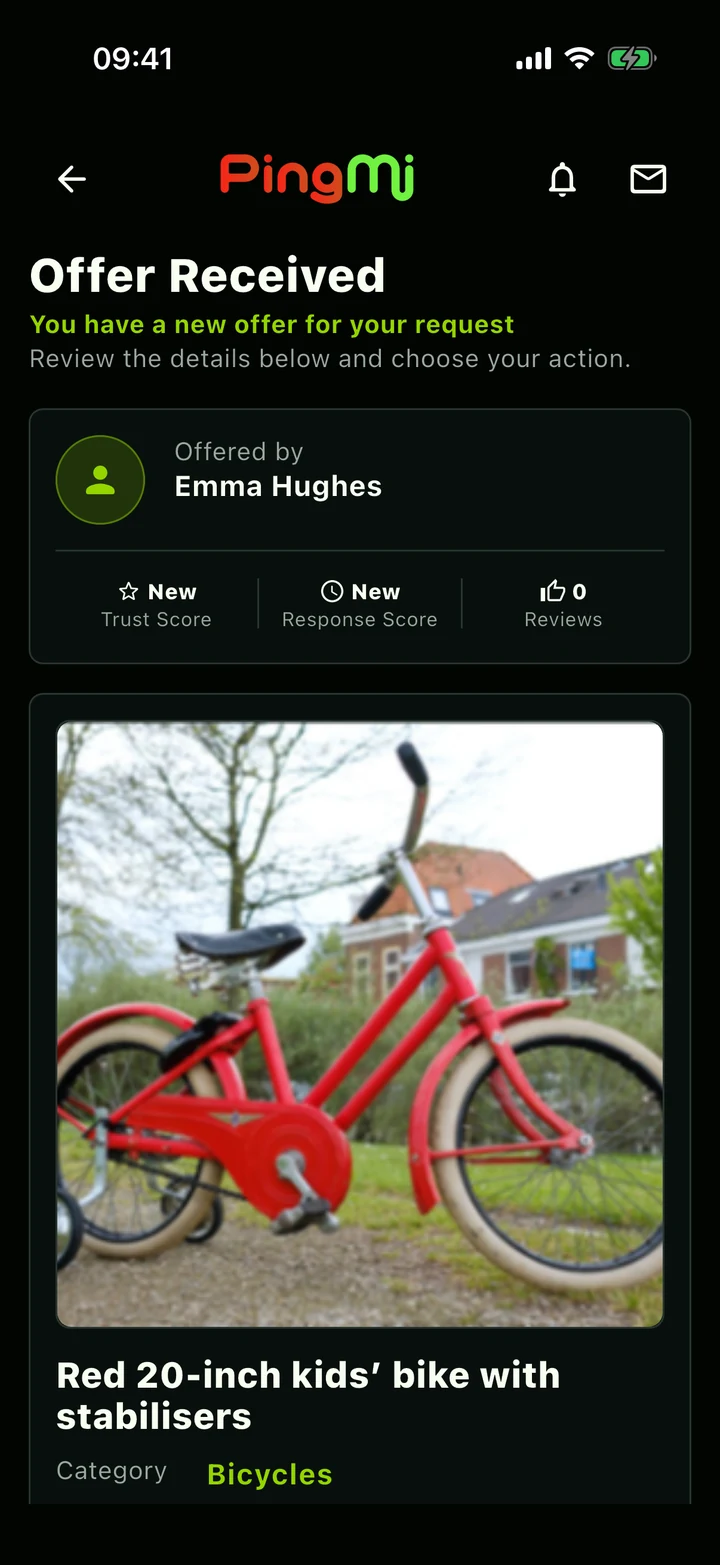
Then comes an offer.
For everyday needs.
For things you can offer.
For the work you do.
01 / How it works
Start with a need.
Leave with a plan.
You ask. Your community answers.
02 / Built around you
Big plans.
Everyday little things.
From something you’re looking for to something that needs doing. There’s a place for it on PingMi.
Your search. Your terms.
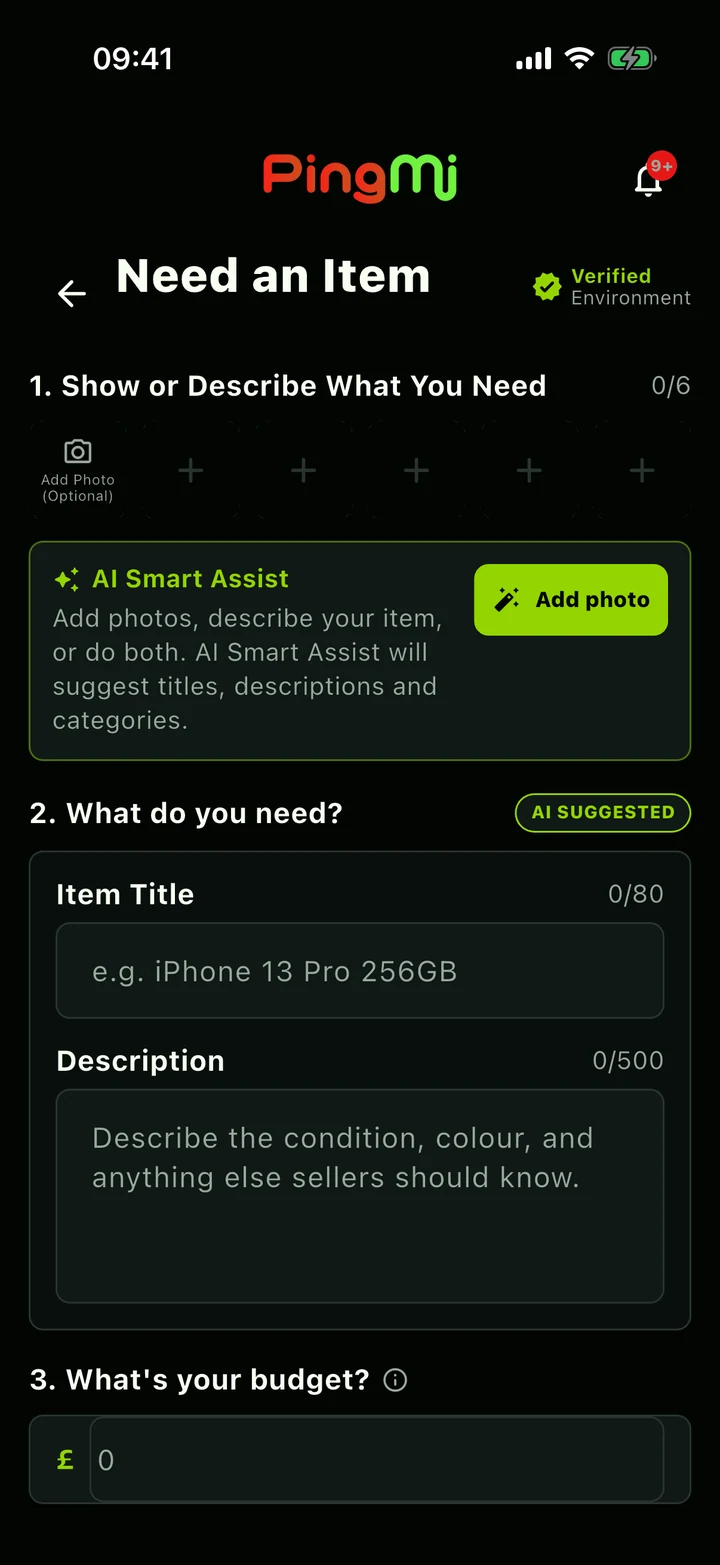
Set a budget, choose how far to look and say when you need it. Give your community a clear idea of what you’re after.
Budget · Search area · Urgency
Find your next possibility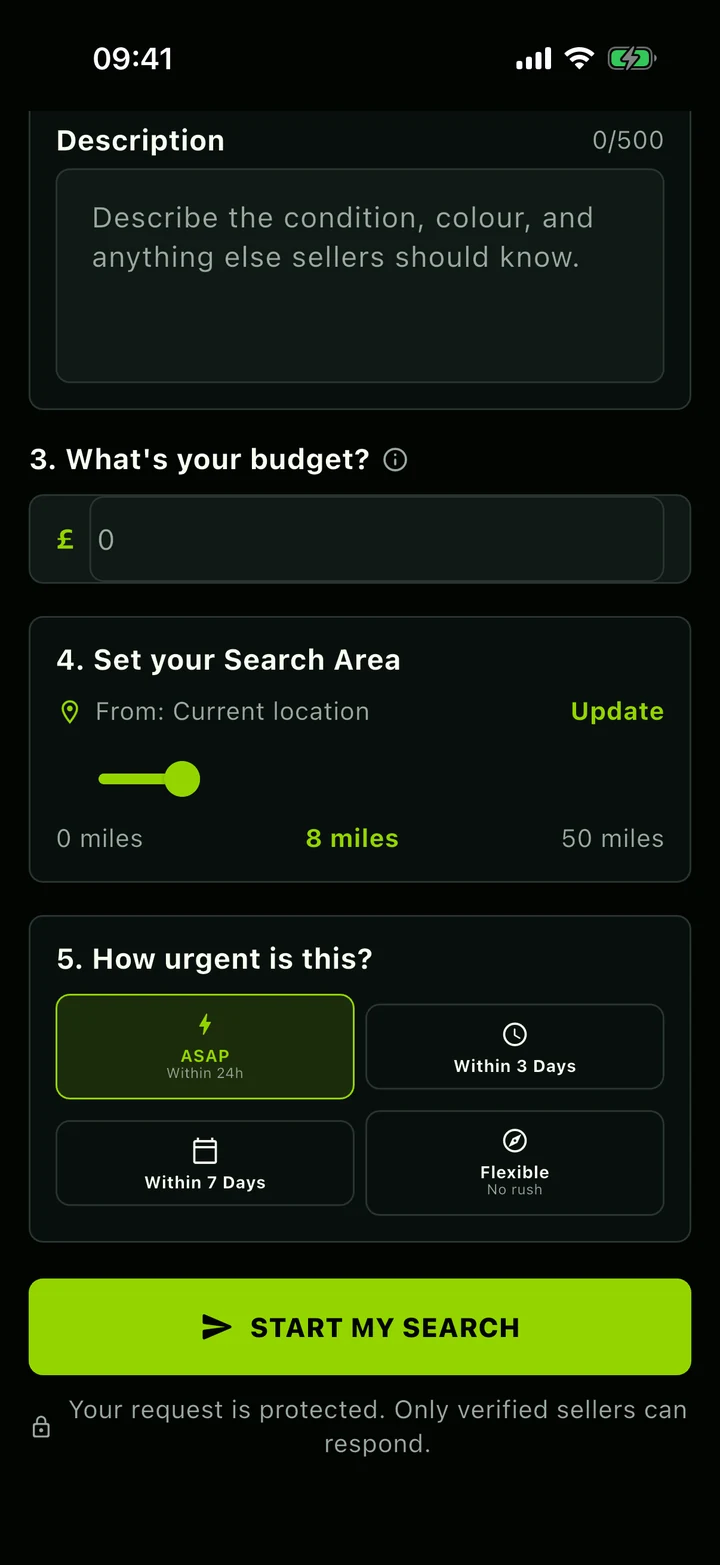
03 / Your local community
Someone nearby
might have
just the thing.
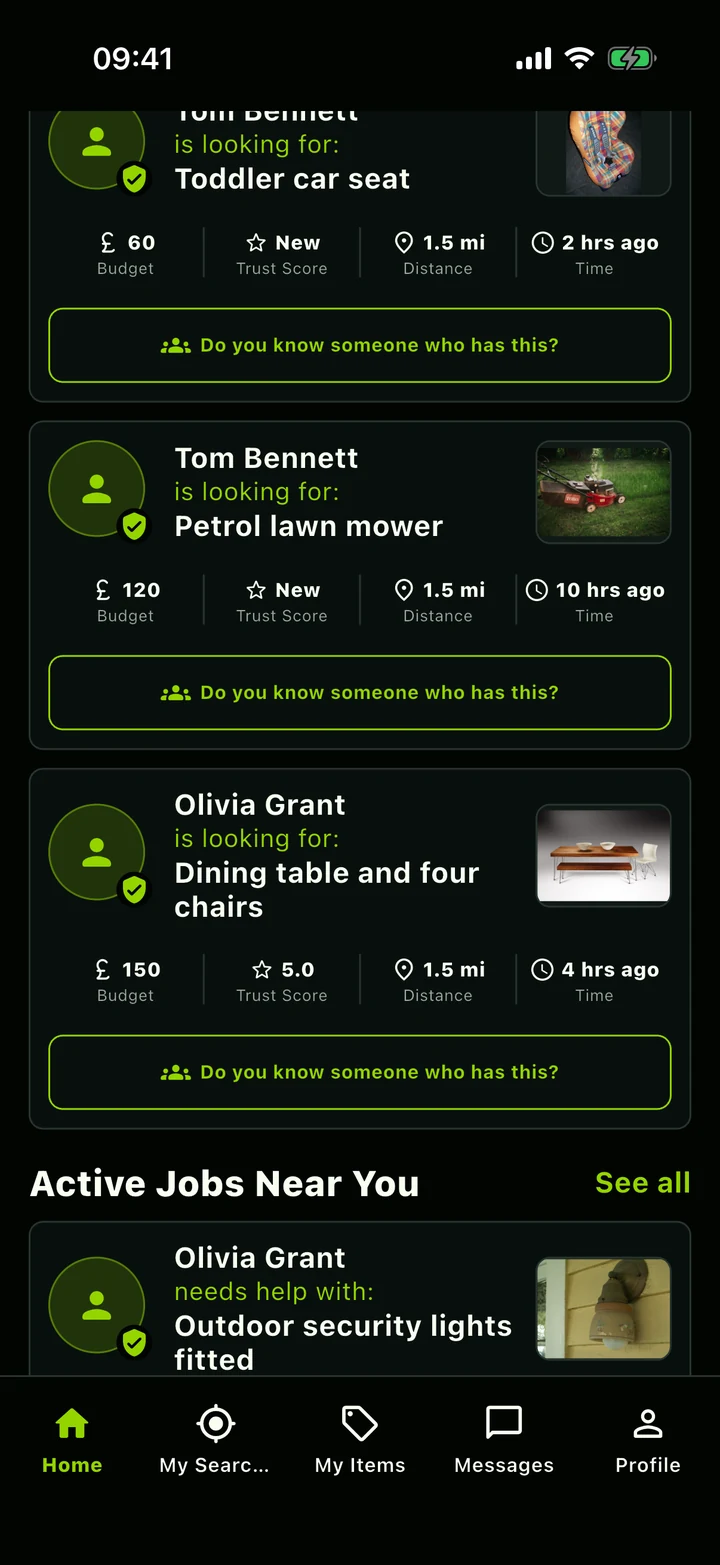
The bike they’ve outgrown. The tools you’ve got spare. The skills someone down the road needs.
See what people are asking for and offer what you can. PingMi gives the things and skills in your community a way to find the people who need them.
Be part of it04 / Trust & safety
A little more clarity.
At every step.
Know who you’re dealing with. Keep the details together. Track what happens next.
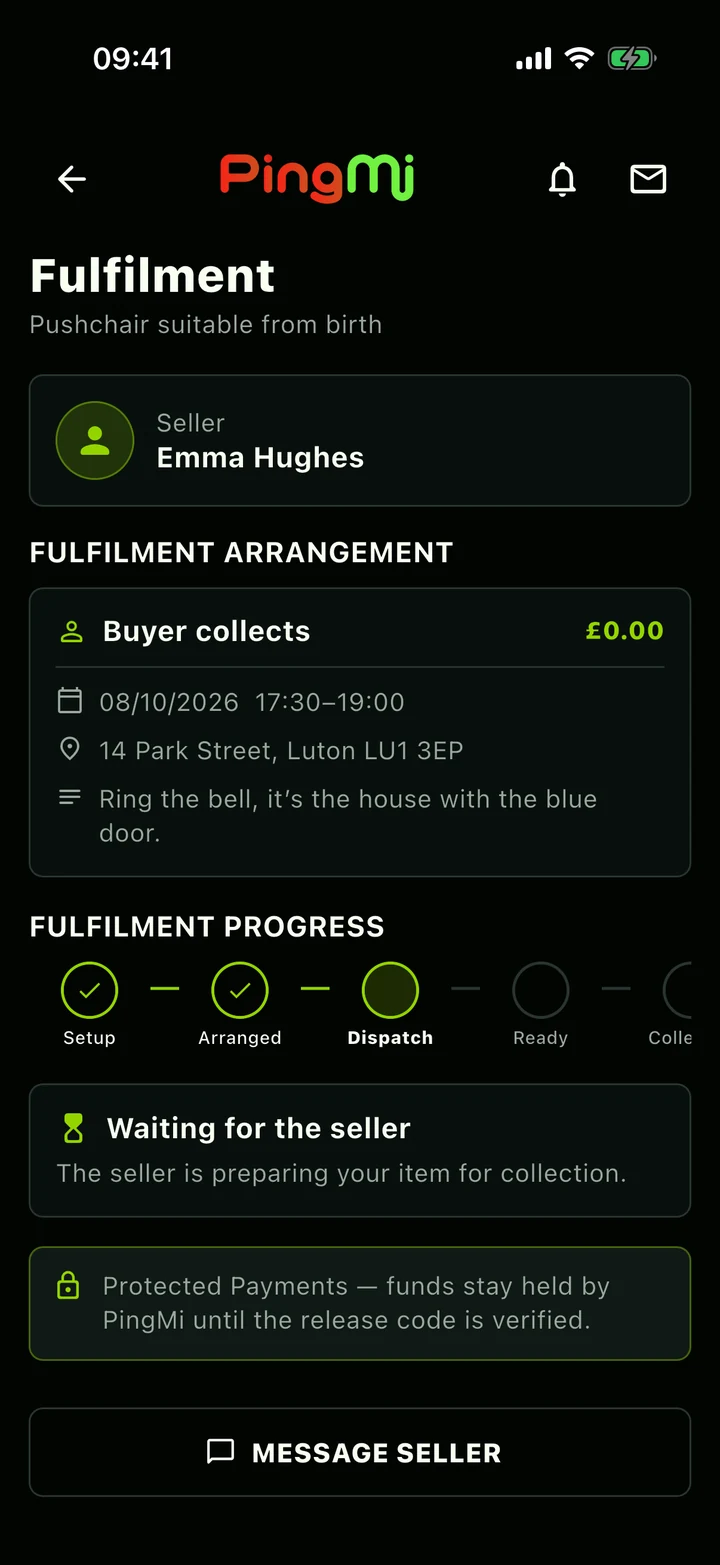
Protected Payments
Follow payment and fulfilment in the app. Collection funds are held until the release code is verified; job payments are released after sign-off.
Profiles with more context
Check verification status, trust indicators and reviews before you decide. Each profile shows the checks completed.
Keep the conversation in one place
Message about the request, agree the details and access dispute support in the app if something goes wrong.
05 / For the work you do
PingMi PROYour business.
Your jobs.
All in one place.
You bring the skills. PingMi Pro brings your local opportunities, estimates and day-to-day work together.
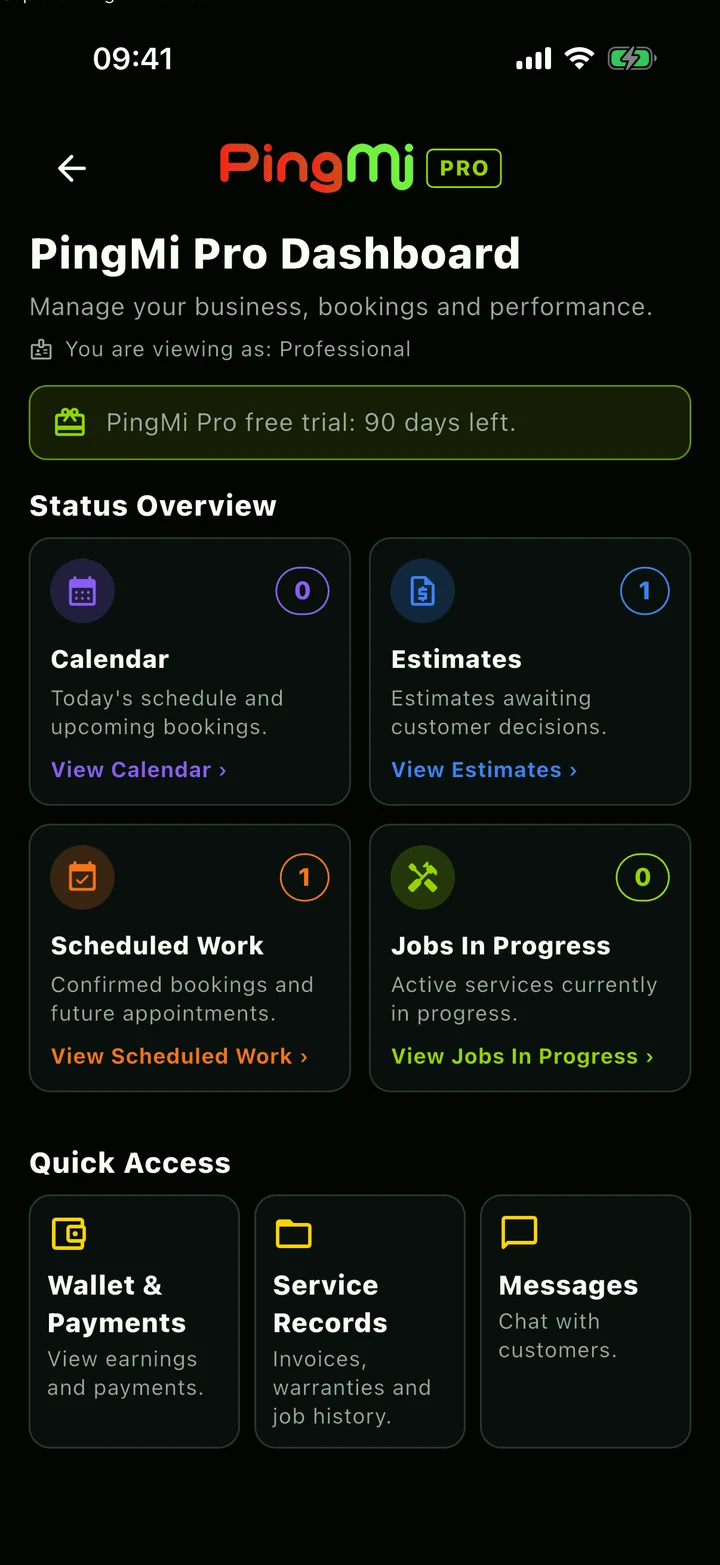
Join the Pro waitlistThe day’s work, at a glance.
Move between estimates, scheduled work and jobs in progress from your professional dashboard.
- Discover local jobs and send estimates
- Manage bookings and availability
- Keep invoices and warranty records
What is PingMi?
PingMi connects local people around what they need. Post a request for an item or a service, receive offers or estimates, and choose the option that works for you.
Can I offer something as well as ask for it?
Yes. One account lets you post your own needs and respond to other people’s requests. PingMi Pro adds a workspace for professionals managing estimates, bookings and jobs.
Can I explore without an account?
The app includes guest browsing, so you can look at nearby requests first. You’ll need to sign in or create an account to post a need, open request details or message someone.
What is PingMi Pro?
PingMi Pro is the professional side of PingMi. Discover local jobs, submit estimates and manage bookings, availability, job records, invoices and warranties in one place.
How do Protected Payments work?
The app tracks payment alongside fulfilment. For the collection flow shown, funds stay held until the release code is verified. For professional jobs, payment is released when the job is signed off. Check the applicable payment and dispute terms in the app before agreeing a transaction.
How can I get PingMi?
Join the waitlist below to receive launch updates. Download links will be added here when they are available.
07 / Be part of what’s next
Whatever you need,
start with PingMi.
Everyday needs. Local possibilities.
Join the waitlist and we’ll keep you posted.